
How To
Connect My 3D Scanner
Smile Academy solutions are compatible with ALL brands of 3D scanners, including but not limited to Trios by 3Shape, iTero, PrimeScan and Omnicam from Sirona, Medit, Dexis and Shining 3D.
Instructions
Benefits of Creating a Direct Connection

Place direct orders for retainers, wires, occlusal splints, bleaching trays and more
‘MyLab’ Smile Academy portal has been exclusively design for clear aligner treatments. For all auxiliary items, simply send your patients’ scans directly from your 3D scanner.
Sharing scans for your clear aligner cases
We strongly recommend uploading STL files (along with patient photos and OPG) via the Smile Academy portal. However, if uploading through the portal is not possible or not convenient, you may choose to send the scans directly from your 3D scanner.
Important note: Choosing to send STL files directly from your scanner instead of uploading them to the Smile Academy portal may result in a delay of up to 1 business day.
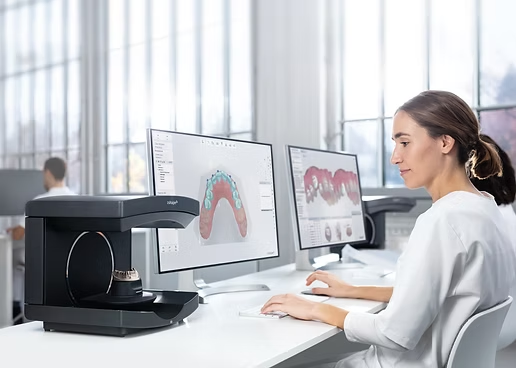

Sharing scans to discuss a specific case
You may also send scans directly if you would like to engage in a discussion about a particular case.
Trios by 3Shape


Medit

Click on the ‘Home’ icon at the bottom of the main screen on the left.

This will open your web browser and a new window will come up that looks very similar to your existing Medit Link app. You then need to click on the ‘Partners’ icon.
Then simply search for ‘Smile Academy’ and click on our name. (Our location is Brisbane, Queensland, Australia) You then need to click on the ‘Request partnership’ button.
You’ll then have to wait for Smile Academy team to approve the connection on Medit portal.
Sirona/Cerec

Go to Sirona Connect Case Centre login page: customer.connectcasecenter.com and enter your credentials.

Once you’re logged in, under ‘My Favorite Recipients’ click on ‘Search Recipient’.
You can find Smile Academy lab by entering our name from the ‘Search direct’ option or by entering around Zip code ‘4010’ in Australia from the ‘Search around me’ option.
Once you have selected the lab, it will show under ‘Recipients’ at the top of the screen. This means you have added the lab on the portal successfully.
iTero
Simply contact iTero / Invisalign hotline by phone on 1800 468 472 and ask their team to connect your scanner with ‘Smile Academy’ lab. They will likely ask for your iTero serial number but they can also find it if you give your clinic name.
It may take 24 hours for your iTero to be connected to our lab and it is recommended to do a synchronisation on your iTero setting. (Although a simple restart of the scanner usually does the trick).